what is it?
desktop user interface for managing virtual machines through libvirt
changing firmware to UEFI
Easiest way to do this is when creating the VM. Afterwards, it can be done by editing the XML
Create a new VM. On step 4 tick the Customize configuration before install box
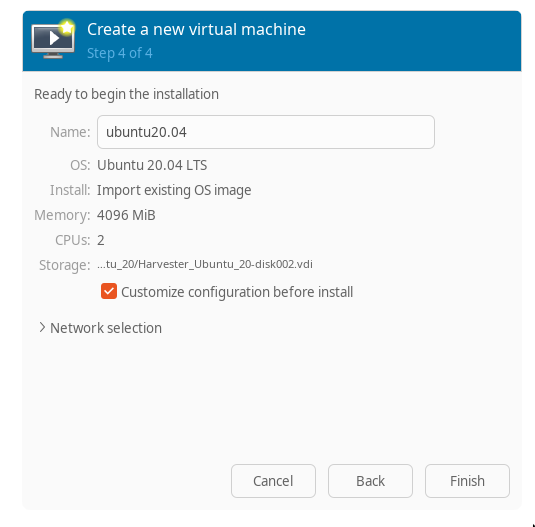
Click Finish. On the Overview tab select the appropriate firmware
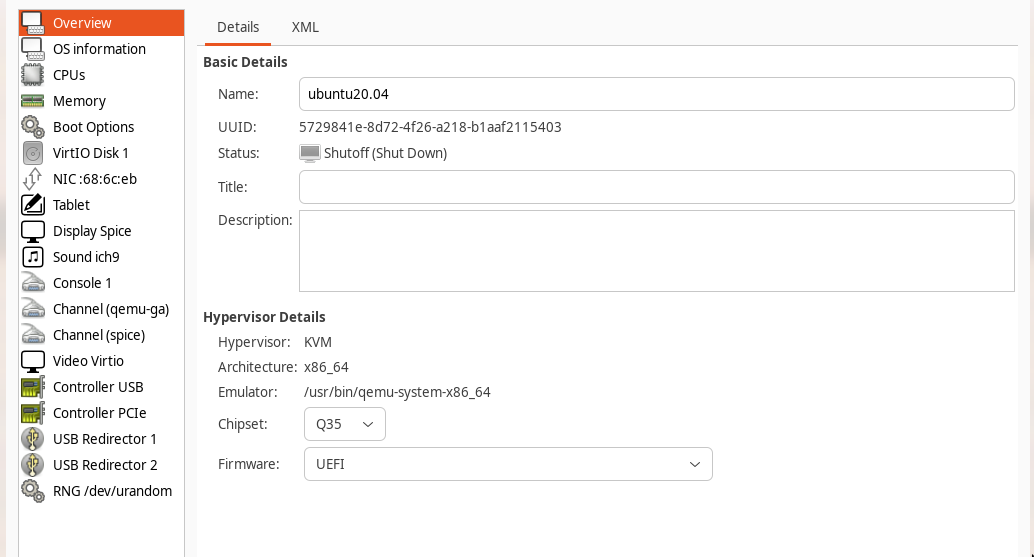
Click Apply and then Begin Installation
file sharing
using virtiofs
on the host, install virtiofs, if needed
sudo apt install virtiofsdcreate a mount point
cd /mnt
sudo mkdir vfs_share
sudo chown -R $USER:$USER vfs_share
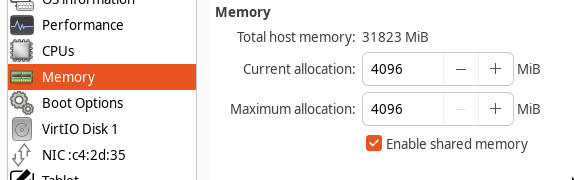
on the virtual machine’s hardware details, enable shared memory
click Add Hardware and add a filesystem. use the mount point specified above for source path
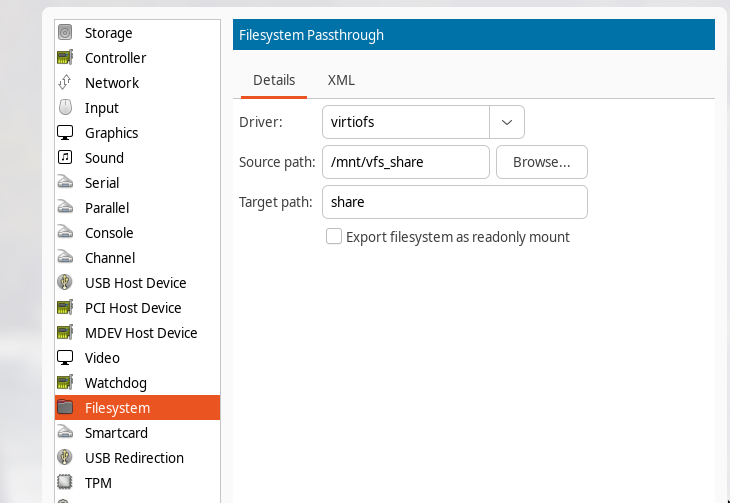
click Finish and then Apply on the main details screen
start the guest vm and mount the share on it
mkdir -p ~/share
sudo mount -t virtiofs share /home/athena/share